 Color Fun
How to Print Coloring Pages at Home
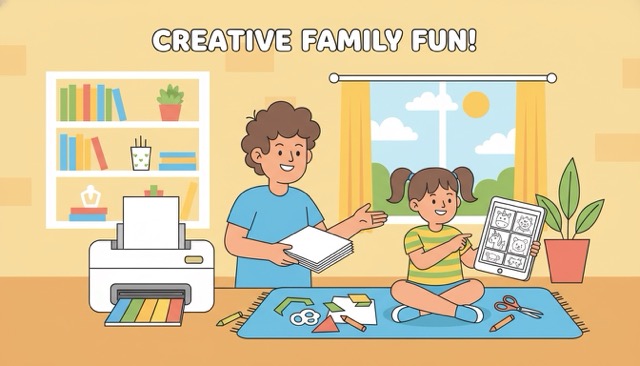
A person at a home printer loading fresh pages while reviewing a coloring page design on a nearby tablet, ready to start a coloring session.
There's something about a physical page that a screen session doesn't quite replicate. The texture of the paper, the slight resistance of a pencil or crayon, the way a finished piece looks sitting on a table. If you want that experience, you need a printed page — and getting a good print from Color Fun is genuinely straightforward once you know the settings.
Here's the full process.
**Step-by-step: from screen to paper**
1. Open Color Fun at https://colorfun.app/ and choose your complexity level and theme. 2. Optionally add a custom prompt to describe something specific — "a fox in a library," for instance. 3. Tap Generate and wait a few seconds. 4. When the image appears, use the Download button to save it as a PNG. 5. Open the file on your computer (or send it to a printer from your phone). 6. Print.
From opening the site to holding the printed page: under two minutes. The entire workflow is designed to be frictionless.
**Print settings that actually matter**
Most home printers will produce a good result with default settings, but a few adjustments make a noticeable difference:
**Color mode: always use Black & White or Grayscale.** Coloring pages are line art — there's no color information in the image, so printing in color adds no benefit and burns through your ink cartridges unnecessarily.
**Scale: Fit to Page** is usually the right choice. Avoid "Shrink to Fit" if you can — it can make the outlines thinner than intended.
**Quality: Normal or Standard is sufficient.** High-quality settings exist for photographs with subtle gradients. Line art doesn't benefit from them.
**Margins: set to Minimum or None** to give the image maximum page space.
**Paper choices**
Standard 80gsm (20lb) copy paper handles wax crayons and colored pencils well. If you use felt-tip markers, the ink will bleed through — go for at least 100gsm (24lb) to prevent it. For a more substantial feel — particularly nice for work you plan to frame or keep — 120gsm (32lb) paper is noticeably better and widely available.
**The batch printing habit**
Rather than printing one page at a time, generate five or six in a single session, print them as a set, and store them in a folder. This takes ten minutes instead of ninety seconds, but it means you always have options ready when you want to color without having to start the generation process first.
Label the folder by theme and date. Over time it becomes a small archive that's pleasant to browse.
**Common issues**
Lines faded or grey: check ink levels, and confirm you selected Black & White rather than Color mode.
Image too small: select Fit to Page rather than Actual Size in the print dialog.
Paper jamming: if you're using heavier paper, use the straight paper path (usually the rear tray on inkjet printers). Avoid anything heavier than 160gsm in standard home printers.
Ink smearing: let the page rest for thirty seconds before handling. Inkjet ink needs a moment to absorb, especially on uncoated paper.
Explore all themes at https://colorfun.app/ — Space pages are particularly satisfying to print: https://colorfun.app/space